
Container domain names
Each container in OrbStack has a domain name, container-name.orb.local, or service.project.orb.local for Compose. This makes it easy to access services, especially for large projects, where port forwards can quickly get messy and hard to remember.
It's zero-config: just use the container name and visit the domain in your browser (or another application). Port numbers are not needed for web services. No need to remember localhost:3000 vs. localhost:8080.
You can also add custom domains and wildcards.
Compose projects
Within a Compose project, service domains are grouped by project name: service.project.orb.local. The project name is usually the name of the folder that contains docker-compose.yml.
For example, a project named nextbigthing with services api and database would have the following domains:
api.nextbigthing.orb.localdatabase.nextbigthing.orb.local
HTTPS
OrbStack provides secure, zero-setup HTTPS for all container domains, complete with dynamic certificate generation, installation, and reverse proxying. Just visit https://orb.local to get started, or change http:// to https:// when connecting to a container.
See HTTPS for containers for more information.
Custom domains
To add custom domains to a container, set its dev.orbstack.domains label to a comma-separated list of domains:
docker run --rm -l dev.orbstack.domains=foo.local,bar.local nginxOr with Compose:
services:
  nginx:
    image: nginx
    labels:
      - dev.orbstack.domains=foo.local,bar.local
Wildcards are also supported: dev.orbstack.domains=*.foo.local,*.bar.local
Custom TLDs
Only domains under the .local TLD are supported at this time.
Mirroring production domains
This makes it possible to replicate the layout of your production environment locally to reduce context switching:
- orbstack.dev ↔ orbstack.local
- docs.orbstack.dev ↔ docs.orbstack.local
- api.orbstack.dev ↔ api.orbstack.local
Wildcards
Default domains are also wildcards, meaning that subdomains such as *.container.orb.local will resolve to container.orb.local. This can be used for reverse proxies, for example.
To add custom wildcard domains, use *.example.local.
Index page
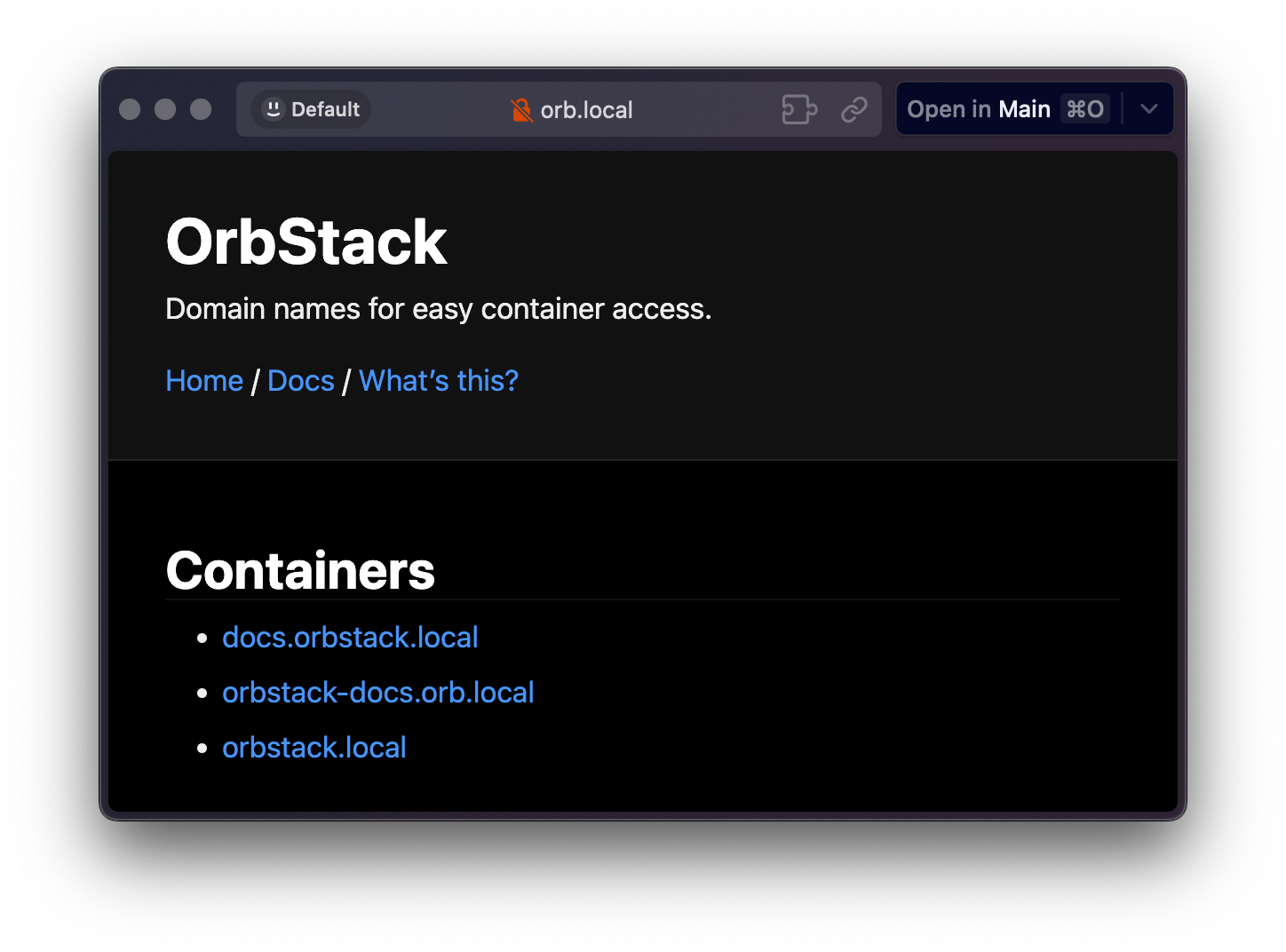
When OrbStack is running, you can visit orb.local in your browser for links to all running containers.
Ports
Unlike localhost, there's no need to use port numbers when connecting to web services by domain. Web server ports are detected automatically.
You can still use ports when referring to other services, e.g. database.stack.orb.local:5432 for Postgres.
Automatic detection
The first time you connect to a container's domain, OrbStack checks its listening ports to find which one serves your app and whether it speaks HTTP or HTTPS. It does this with a small request to each port, identified by the OrbStack-Server-Detection user agent. The result is remembered until the container changes.
If you spot this in your server logs, it's just OrbStack working out where to route domain traffic. It only happens for local OrbStack domains.
Override port
In some cases, if your container has multiple servers, OrbStack may not be able to detect the correct port. To fix this, use a label to specify a port explicitly: dev.orbstack.http-port=8080
Setting this also skips detection. The port is used by the automatic HTTPS proxy to connect to your container.
Kubernetes
OrbStack also supports Kubernetes' standard cluster.local domains, such as service.namespace.svc.cluster.local.
LoadBalancer and Ingress services are reachable at *.k8s.orb.local, and the cluster's API server is available at k8s.orb.local. See Kubernetes for more details.
Linux machines
Similar to containers, each Linux machine has a domain name at machine-name.orb.local.
Compatibility
Container domains currently depend on the direct IP access feature, so make sure "Allow access to container domains & IPs" is enabled in Settings → Network.